
Logging in to your Aladdins Gold Casino account takes moments once you have your email and password ready, whether you're on a desktop computer, a phone, or a tablet. This guide walks through the login steps for every device, what to do if you've forgotten your password, and how to fix the handful of issues players run into most often. You'll also find the security features worth switching on once you're inside, and a quick look at what's waiting on your dashboard the moment you sign in.
Logging In on Desktop or Mobile
Aladdins Gold Casino runs entirely in your browser, so there's no separate login screen to hunt for depending on which device you pick up — the same entry point works whether you're at a desktop, using a laptop, or signing in from a smartphone on the move. Open the casino in Chrome, Safari, Edge, or whichever browser you prefer, locate the login button near the top of the homepage, and enter the email address and password you set during registration.
Because the platform is browser-based rather than tied to a downloadable app, there's nothing to install before you can play, and no updates to manage either. The layout reshapes itself automatically for smaller screens, so the cashier, game lobby, and account menu all remain easy to tap through on a touchscreen. If you bookmark the login page on your phone's home screen, or add it as a shortcut, you can get back in almost as quickly as opening a dedicated app — without using up any storage space on your device.
Tablets behave the same way as phones here: the same credentials, the same dashboard, just a slightly larger screen to work with. Switching between a laptop in the evening and a phone during a commute causes no disruption, since your balance, bonus progress, and game history are tied to your account rather than to any single device you happen to be using.
How to Log In to Aladdins Gold Casino
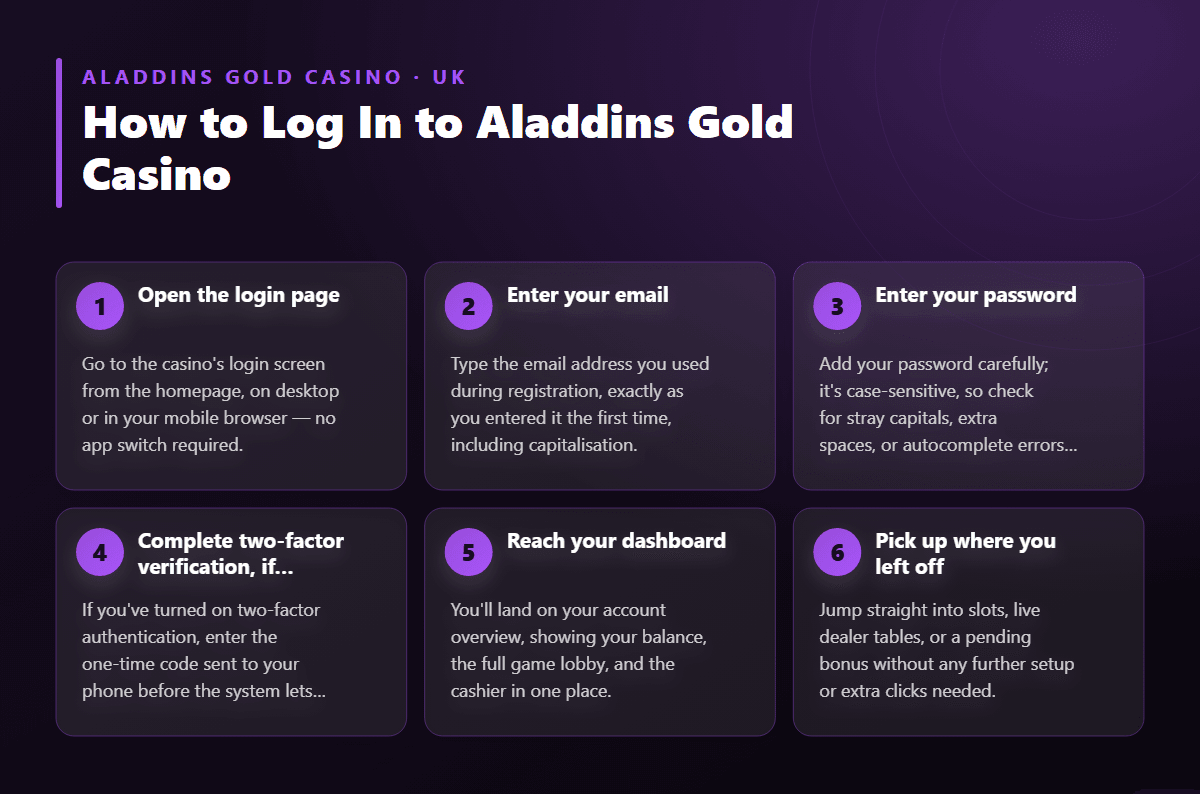
- 1Open the login pageGo to the casino's login screen from the homepage, on desktop or in your mobile browser — no app switch required.
- 2Enter your emailType the email address you used during registration, exactly as you entered it the first time, including capitalisation.
- 3Enter your passwordAdd your password carefully; it's case-sensitive, so check for stray capitals, extra spaces, or autocomplete errors before submitting.
- 4Complete two-factor verification, if enabledIf you've turned on two-factor authentication, enter the one-time code sent to your phone before the system lets you through.
- 5Reach your dashboardYou'll land on your account overview, showing your balance, the full game lobby, and the cashier in one place.
- 6Pick up where you left offJump straight into slots, live dealer tables, or a pending bonus without any further setup or extra clicks needed.
Forgotten Password? Here's How to Get Back In
If your password slips your mind, look for the "forgotten password" link sitting directly below the login fields. Clicking it prompts you to enter the email address attached to your account, and a reset link then lands in your inbox shortly afterwards — check your spam or promotions folder if it doesn't appear within a few minutes, since some mail providers file automated messages there by default.
Following that link opens a form where you can set a new password. Choose something you haven't used on other accounts, mixing letters, numbers, and symbols for extra strength, rather than reusing an old favourite. Once saved, return to the login page and sign in with your fresh credentials; your balance, bonus progress, and game history all stay exactly where you left them, since resetting a password never touches your account data.
If the reset email never arrives at all, double-check you're using the same address you registered with — a surprising number of login struggles come down to a small typo in the email field rather than any real problem with the password itself. Trying an alternative email you may have used, or checking an older inbox, often clears this up quickly.
Common Login Problems and How to Solve Them
Most sign-in trouble traces back to a handful of familiar causes, and working through them in order usually solves things faster than waiting for a support reply. Here's what to check before reaching out:
- Incorrect email or password: Retype both fields slowly rather than relying on autofill, which sometimes carries over details saved from another site entirely.
- Unverified email address: New accounts need the confirmation link clicked before login works smoothly — search your inbox for the original welcome message if you skipped this step after registering.
- Browser cache or cookies: A cleared cache resolves odd loading behaviour more often than you'd expect, especially if you've stayed logged in for a long stretch without refreshing.
- Connection timeouts: Switching from public Wi-Fi to mobile data, or the other way round, often clears up pages that hang or spin endlessly on the login screen.
- Caps lock or extra spaces: Passwords are case-sensitive, so a stray capital letter, an accidental space, or a lingering autocomplete suggestion is enough to block entry entirely.
If none of these fix things, the support team is reachable by phone or email around the clock and can check your account status directly, confirming whether the issue sits with your credentials or something on their end.
Ways to Access Your Account
| Access Method | Devices | What You Need | Good to Know |
| Browser login | Desktop, laptop | Email and password | No download required at any point |
| Mobile browser | Smartphone, tablet | Email and password | Layout adapts automatically to touchscreens |
| Password reset | Any device | Registered email address | Reset link lands directly in your inbox |
| Two-factor authentication | Any device, with phone nearby | Password plus a one-time code | Extra protection, especially before withdrawals |
| Support-assisted login | Any device | Account email, ID if requested | Available by phone or email around the clock |
Keeping Your Account Secure
Once you're logged in, a few habits go a long way toward protecting your balance. Turn on two-factor authentication in your account settings if it's offered — this means entering a short code from your phone alongside your password, so a leaked password alone isn't enough for anyone else to access your funds.
Use a password unique to this account rather than one shared with your email or other services, and avoid saving it on shared or public computers where someone else might log in after you. Aladdins Gold Casino holds a licence from the Anjouan, Union of Comoros (licence number ALSI-202409030-Fl2), and identity verification is requested before larger withdrawals — a standard check that confirms the account genuinely belongs to you, so it helps to keep a photo ID and proof of address on hand for when it's needed.
Be cautious of emails or messages claiming to be from the casino that ask for your password directly; genuine support staff never need it to help you. If you ever suspect unauthorised access to your account, change your password immediately and contact support so the team can review recent activity with you and secure things properly straight away.
What You Can Do as Soon as You're In
Your dashboard opens straight onto your balance, recent transactions, and the game lobby, so there's no extra navigation needed before you can start playing. From there you can jump into any of the 200+ titles from RTG and Spinlogic Gaming, head to the cashier to top up your account, or check the status of a pending withdrawal without digging through menus.
New players who haven't yet made a first deposit will also see their welcome offer waiting to be activated — full terms and the deposit steps are covered on the bonus offers page if you want the details before funding your account for the first time. Returning players can pick up exactly where they left off in slot tournaments, live dealer tables, or table games, with everything accessible from the same logged-in dashboard without needing to search for it again.
Support options, including phone and email contact, sit alongside the game lobby too, so help is never more than a click away once you're signed in.
Don't Have an Account Yet?
If you've landed here before signing up, logging in isn't possible yet, since there's no account for the credentials to match. Creating one takes just a few minutes — you'll choose an email address, set a password, and pick your preferred currency before verifying your email through a confirmation link.
Full instructions, including what documents to have ready for identity verification later on, are covered on the registration page. Once your account is confirmed, the login steps above apply to you exactly the same way they do for existing players.
FAQ
Most login issues come down to a mistyped email or password, an unverified email address, or a browser needing its cache cleared. Working through these common causes resolves the vast majority of sign-in trouble without needing to contact support at all.
Use the forgotten password link on the login screen, enter your registered email, and follow the reset link sent to your inbox. Setting a fresh password gets you straight back into your account.
Yes, the casino works directly in your mobile browser, so there's nothing to download beforehand. The login screen and your dashboard both adjust automatically for smaller screens.
No app is required at any point. Everything, from logging in to playing games and managing your cashier, happens through your browser on any device.
Reach out to customer support with whatever account details you remember, such as your name or a recent transaction. The team can help confirm your registered email so you can get back in.
It's best to log out fully after each session on a shared or public computer, and avoid letting the browser save your password there, to keep your account private.
Confirm you're entering the correct email, check for caps lock or extra spaces in your password, and try clearing your browser's cache. These quick checks solve most sign-in issues on their own.